|
|
|
|
|
|
|
|
|
| 15 X3D Models | X3D Model Descriptions | |
|---|---|---|

|
BackgroundColorsOnly | Added a Background node to the KelpForest world. |
|
BackgroundImagesOnly | Simple Background node with images only. |
|
BackgroundKelpForestMain | Added a Background node to the KelpForest world. |
|
BackgroundSelector | Select one of four Background nodes to show a time-of-day effect. |
|
BackgroundSequencer | Cycle through four Background nodes to show a time-of-day effect. |
|
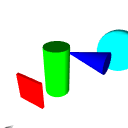
BackgroundTimeOfDay | Interpolate between Background color arrays to show a gradually changing time-of-day effect. |
|
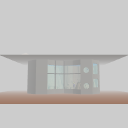
DirectionalLightExample | An example of the DirectionalLight node showing no shadows on the lit geometry. |
|
FogKelpForestMain | Added fog to the KelpForest world to simulate the typical weather pattern in June in Monterey, CA. |
|
PointLightColor | Example of a PointLight node showing the effect of distance on lighting of geometry. |
|
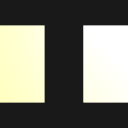
PointLightExample | Two examples of scoped PointLight nodes showing the effects of distance on lit geometry. Faceted IndexedFaceSet is on the left, simple Box on the right. |

|
SpotLightColor | Example of SpotLight showing effect of varying light colors on appearance |

|
SpotLightExample | Example SpotLight node showing effects of beamWidth and cutOffAngle |

|
SpotLightVisualization | Create outline geometry to show SpotLight coverage. Author TODO: use the X3D-Edit SpotLight editor to modify and re-visualize the first SpotLight. |
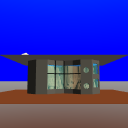
| TextureBackgroundExample | Simple TextureBackground node with images only. | |
|
TextureBackgroundKelpForestMain | Added an image panorama with the Background node to the Kelp Forest world. |
|
Online at https://www.web3d.org/x3d/content/examples/X3dForWebAuthors/Chapter11LightingEnvironmentalEffects
Master source-code model archive is under version control at |
The X3D Resources: Examples page and X3D Developers Guide provide more information about the production of this archive.
|
|
|
|
|
|
|
|