| 1 |
<?xml version="1.0" encoding="UTF-8"?>
|
| 2 |
<!DOCTYPE X3D PUBLIC "ISO//Web3D//DTD X3D 3.3//EN" "https://www.web3d.org/specifications/x3d-3.3.dtd">
|
| 3 | <X3D profile='Immersive' version='3.3' xmlns:xsd='http://www.w3.org/2001/XMLSchema-instance' xsd:noNamespaceSchemaLocation='https://www.web3d.org/specifications/x3d-3.3.xsd'> |
| 4 | <head> |
| 5 | <!-- javascript code for rotation calculations was derived from: --> |
| 6 | <meta name='title' content=' ChangingFog.x3d '/> |
| 7 | <meta name='description' content="A Fog node that adjusts as the viewer's orientation and position changes. This is a good candidate to become a Prototype since Fog does not automatically bind when inlined."/> |
| 8 | <meta name='creator' content='Matthew Braun'/> |
| 9 | <meta name='created' content='20 September 2001'/> |
| 10 | <meta name='modified' content='20 October 2019'/> |
| 11 | <meta name='reference' content='http://astronomy.swin.edu.au/pbourke/geometry/rotate/'/> |
| 12 | <meta name='rights' content='Copyright (c) Matthew Braun 2001'/> |
| 13 | <meta name='subject' content='Fog'/> |
| 14 | <meta name='identifier' content=' https://www.web3d.org/x3d/content/examples/X3dForWebAuthors/KelpForestExhibit/ChangingFog.x3d '/> |
| 15 | <meta name='generator' content='X3D-Edit 3.3, https://www.web3d.org/x3d/tools/X3D-Edit'/> |
| 16 | <meta name='license' content='../license.html'/> |
| 17 | </head> |
Event Graph ROUTE Table shows event connections.
-->
<!--
 DEF nodes index:
ChangeVisibility,
Clock,
Disk,
IFSBox,
Pointer,
ProxSensor,
ShapeApp,
Water
Index for Viewpoint nodes: Viewpoint_1, Viewpoint_2, Viewpoint_3, Viewpoint_4, Viewpoint_5, Viewpoint_6, Viewpoint_7, Viewpoint_8
| 18 | <Scene> |
| 19 | <WorldInfo title='ChangingFog.x3d'/> |
| 20 | <NavigationInfo avatarSize='0.01 0 0'/> |
| 21 | <Viewpoint description='Start' fieldOfView='0.9' position='0 0 0'/> |
| 22 | <Viewpoint description='Looking up from start' orientation='1 0 0 1.57' position='0 0 0'/> |
| 23 | <Viewpoint description='10m above, looking straight up' orientation='1 0 0 1.57' position='0 10 0'/> |
| 24 | <Viewpoint description='10m above start' position='0 10 0'/> |
| 25 | <Viewpoint description='10m above, looking straight down' orientation='1 0 0 -1.57' position='0 10 0'/> |
| 26 | <Viewpoint description='10m below, looking down' orientation='1 0 0 -1.57' position='0 -10 0'/> |
| 27 | <Viewpoint description='10m below start' position='0 -10 0'/> |
| 28 | <Viewpoint description='10m below, looking up' orientation='1 0 0 1.57' position='0 -10 0'/> |
| 29 |
<!-- ROUTE information for Water node:
[from ChangeVisibility.visibility_changed to visibilityRange
]
-->
<Fog DEF='Water' color='0.2 0.2 0.4' fogType='EXPONENTIAL'/> |
| 30 | <!-- Proximity sensor must be large enough to encompass the entire scene --> |
| 31 |
<!-- ROUTE information for ProxSensor node:
[from position_changed to ChangeVisibility.get_depth
]
[from orientation_changed to ChangeVisibility.set_visibility
]
-->
<ProximitySensor DEF='ProxSensor' size='1000 1000 1000'/> |
| 32 | <!-- TimeSensor triggering reduces frequency of calculations for performance reasons. --> |
| 33 |
<!-- ROUTE information for Clock node:
[from cycleTime to ChangeVisibility.get_clock_hit
]
-->
<TimeSensor DEF='Clock' loop='true' cycleInterval='1.0' enabled='true'/> |
| 34 |
<!-- ROUTE information for ChangeVisibility node:
[from Clock.cycleTime to get_clock_hit
]
[from ProxSensor.position_changed to get_depth
]
[from ProxSensor.orientation_changed to set_visibility
]
[from visibility_changed to Water.visibilityRange
]
-->
<Script DEF='ChangeVisibility'> |
| 35 | <field name='get_clock_hit' type='SFTime' accessType='inputOnly'/> |
| 36 | <field name='run_script' type='SFBool' value='false' accessType='initializeOnly'/> |
| 37 | <field name='get_depth' type='SFVec3f' accessType='inputOnly'/> |
| 38 | <field name='visibility_changed' type='SFFloat' accessType='outputOnly'/> |
| 39 | <field name='set_visibility' type='SFRotation' accessType='inputOnly'/> |
| 40 | <!-- <field accessType='initializeOnly' name='checked' type='SFBool' value='false'/> <field accessType='initializeOnly' name='moved' type='SFBool' value='false'/> --> |
<![CDATA[
ecmascript:
// REF: http://astronomy.swin.edu.au/pbourke/geometry/rotate/

function initialize () {
   visibility = 20;
   depth = 0;
   pos = (0,0,0);
   Browser.println ('Position output from ProximitySensor.');
}

function get_clock_hit (clock_msg) {
     run_script = true;
}

function get_depth ( position ) {

   pos = position;
   depth = position[1] - 30;

}

function set_visibility( rotation ) {

 if (run_script) {

//z coordinate of the default viewpoint direction(0,0,-1)
   initZ = -1;

   rX = rotation[0];  // x coordinate of the rotation
   rY = rotation[1];  // y coordinate of the rotation
   rZ = rotation[2];  // z coordinate of the rotation

   theta = rotation[3];  // angle of rotation in radians

Browser.println ('theta:' + theta);

   cosTheta = Math.cos(theta);
   sinTheta = Math.sin(theta);

Browser.println ('cosTheta:' + cosTheta + ' sinTheta:'+ sinTheta);


// calculate the y coordinate of the point after rotation
/* there are 8 other terms in the full conversion, but 6 are equal
to zero because of the choice of a starting point on the z-axis. The
other two are not calculated since all we need is the y coordinate
*/
   finalY = ((1 - cosTheta) * rY * rZ - rX * sinTheta) * initZ;

Browser.println ('final y:' + finalY);

//calculate the elevation/depression angle of the final point location

   elevation = Math.asin(finalY);

Browser.println ('elevation:' + elevation);

   directionFactor = 1 + 0.2 * (4 * elevation / Math.PI);
   depthAdjust = (60 + depth)/60
   depthFactor = Math.max(depthAdjust,0.05);

   visibility_changed =  60 * depthFactor * directionFactor;
   Browser.println ('depth=' + depth + ', elevation=' + elevation +
        ', visibility_changed=' + visibility_changed);
   run_script = false;

 }
}
]]>
|
|
| 42 | </Script> |
| 43 | < ROUTE fromNode='Clock' fromField='cycleTime' toNode='ChangeVisibility' toField='get_clock_hit'/> |
| 44 | < ROUTE fromNode='ProxSensor' fromField='position_changed' toNode='ChangeVisibility' toField='get_depth'/> |
| 45 | < ROUTE fromNode='ProxSensor' fromField='orientation_changed' toNode='ChangeVisibility' toField='set_visibility'/> |
| 46 | < ROUTE fromNode='ChangeVisibility' fromField='visibility_changed' toNode='Water' toField='visibilityRange'/> |
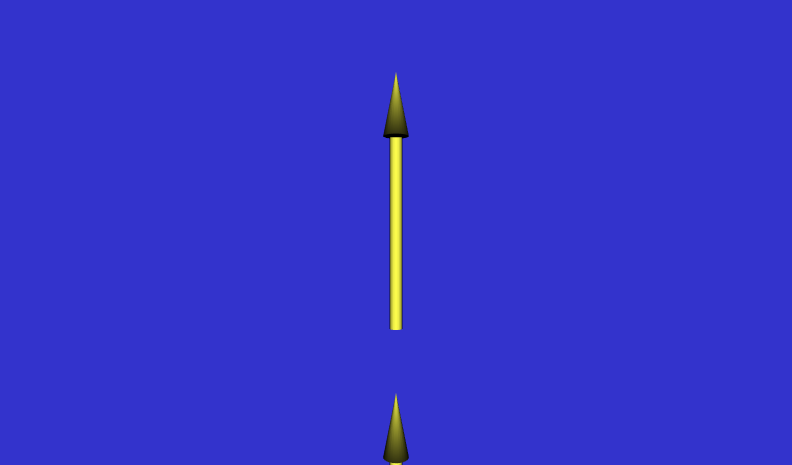
| 47 | <!-- A set of arrows is used to show visibility and direction --> |
| 48 | |
| 49 | <Transform translation='0 4 0'> |
| 50 | <Shape> |
| 51 | <Cone bottomRadius='0.4'/> |
| 52 | |
| 53 | <Material ambientIntensity='0.8' diffuseColor='1 1 0.3' shininess='0.6'/> |
| 54 | </Appearance> |
| 55 | </Shape> |
| 56 | </Transform> |
| 57 | <Shape> |
| 58 | <Cylinder height='6' radius='0.2'/> |
| 59 | <Appearance USE='ShapeApp'/> |
| 60 | </Shape> |
| 61 | </Transform> |
| 62 | <Transform translation='0 10 0'> |
| 63 | <Transform USE='Pointer'/> |
| 64 | </Transform> |
| 65 | <Transform translation='0 -10 0'> |
| 66 | <Transform USE='Pointer'/> |
| 67 | </Transform> |
| 68 | <!-- A pair of disks used to show visibility --> |
| 69 | <Transform translation='0 15 0'> |
| 70 | |
| 71 | <Cylinder height='0.01'/> |
| 72 | <Appearance USE='ShapeApp'/> |
| 73 | </Shape> |
| 74 | </Transform> |
| 75 | <Transform translation='0 -15 0'> |
| 76 | <Shape USE='Disk'/> |
| 77 | </Transform> |
| 78 | <!-- An indexed face set box used to bound the working area --> |
| 79 | <Transform scale='20 20 20'> |
| 80 | <Shape DEF='IFSBox'> |
| 81 | <Appearance> |
| 82 | <Material diffuseColor='1 1 1'/> |
| 83 | </Appearance> |
| 84 | <IndexedFaceSet ccw='false' colorPerVertex='false' colorIndex='0 2 2 2 2 1' coordIndex='0 1 2 3 -1 7 6 5 4 -1 0 4 5 1 -1 1 5 6 2 -1 2 6 7 3 -1 3 7 4 0'> |
| 85 | <Coordinate point='-1.0 1.0 1.0 1.0 1.0 1.0 1.0 1.0 -1.0 -1.0 1.0 -1.0 -1.0 -1.0 1.0 1.0 -1.0 1.0 1.0 -1.0 -1.0 -1.0 -1.0 -1.0'/> |
| 86 | <Color color='1 1 1 0 0 0 0.2 0.2 0.8'/> |
| 87 | </IndexedFaceSet> |
| 88 | </Shape> |
| 89 | </Transform> |
| 90 | </Scene> |
| 91 | </X3D> |
Event Graph ROUTE Table shows event connections.
-->
<!--
DEF nodes index:
ChangeVisibility,
Clock,
Disk,
IFSBox,
Pointer,
ProxSensor,
ShapeApp,
Water
Index for Viewpoint nodes: Viewpoint_1, Viewpoint_2, Viewpoint_3, Viewpoint_4, Viewpoint_5, Viewpoint_6, Viewpoint_7, Viewpoint_8
Appearance,
Color,
Cone,
Coordinate,
Cylinder,
field,
Fog,
head,
IndexedFaceSet,
Material,
meta,
NavigationInfo,
ProximitySensor,
ROUTE,
Scene,
Script,
Shape,
TimeSensor,
Transform,
Viewpoint,
WorldInfo,
X3D,
🔖 Event Graph ROUTE Table entries with 4 ROUTE connections, showing X3D event-model relationships for this scene.
Each row with a ROUTE statement shows an event cascade that may occur during a single timestamp interval between frame renderings, performed as part of the X3D execution model.
|
ProxSensor
ProximitySensor position_changed SFVec3f |
ChangeVisibility
Script get_depth SFVec3f |
then from same node |
ChangeVisibility
Script visibility_changed SFFloat |
Water
Fog visibilityRange SFFloat |
||
|
ProxSensor
ProximitySensor orientation_changed SFRotation |
ChangeVisibility
Script set_visibility SFRotation |
then from same node |
ChangeVisibility
Script visibility_changed SFFloat |
Water
Fog visibilityRange SFFloat |
|
Clock
TimeSensor cycleTime SFTime |
ChangeVisibility
Script get_clock_hit SFTime |
then from same node |
ChangeVisibility
Script visibility_changed SFFloat |
Water
Fog visibilityRange SFFloat |
|
ChangeVisibility
Script visibility_changed SFFloat |
Water
Fog visibilityRange SFFloat |
<!--
Online at
 Version control at
<!--
Color-coding legend: X3D terminology
<X3dNode DEF='idName' field='value'/>
matches XML terminology
<XmlElement DEF='idName' attribute='value'/>
(Light-blue background: event-based behavior node or statement)
(Grey background inside box: inserted documentation)
(Magenta background: X3D Extensibility)
-->
<!--
For additional help information about X3D scenes, please see X3D Tooltips, X3D Resources, and X3D Scene Authoring Hints.
-->