| 1 |
<?xml version="1.0" encoding="UTF-8"?>
|
| 2 |
<!DOCTYPE X3D PUBLIC "ISO//Web3D//DTD X3D 3.0//EN" "https://www.web3d.org/specifications/x3d-3.0.dtd">
|
| 3 | <X3D profile='Immersive' version='3.0' xmlns:xsd='http://www.w3.org/2001/XMLSchema-instance' xsd:noNamespaceSchemaLocation='https://www.web3d.org/specifications/x3d-3.0.xsd'> |
| 4 | <head> |
| 5 | <meta name='title' content=' Figure30_4ScriptSpiralingBallTrace.x3d '/> |
| 6 | <meta name='creator' content='Figure 30.4, The VRML 2.0 Sourcebook, Copyright [1997] By Andrea L. Ames, David R. Nadeau, and John L. Moreland'/> |
| 7 | <meta name='reference' content=' http://www.wiley.com/legacy/compbooks/vrml2sbk/ch30/30fig04.htm '/> |
| 8 | <meta name='translator' content='Don Brutzman'/> |
| 9 | <meta name='created' content='2 September 2000'/> |
| 10 | <meta name='modified' content='20 October 2019'/> |
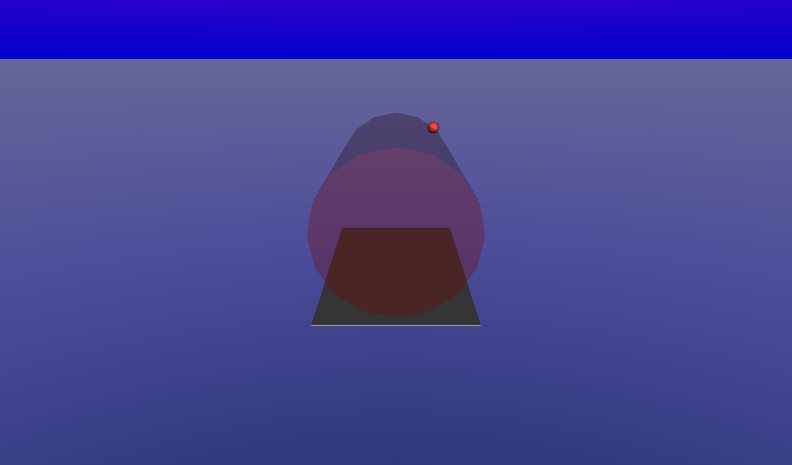
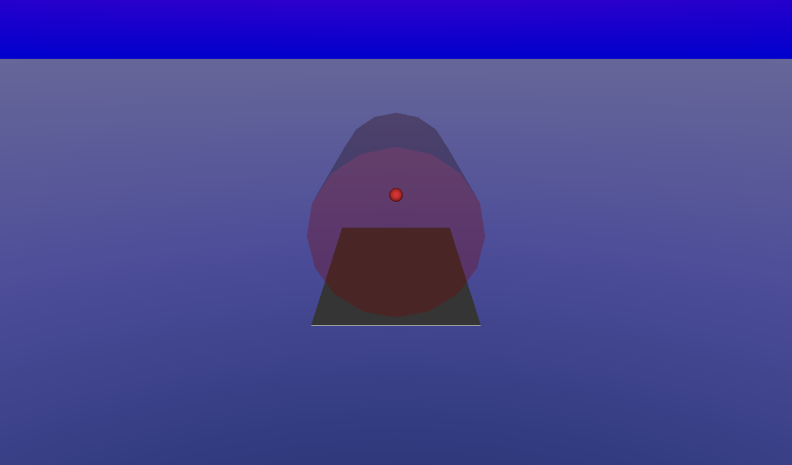
| 11 | <meta name='description' content='A spiraling red sphere and a custom interpolation script.'/> |
| 12 | <meta name='identifier' content=' https://www.web3d.org/x3d/content/examples/Vrml2Sourcebook/Chapter30Scripts/Figure30_4ScriptSpiralingBallTrace.x3d '/> |
| 13 | <meta name='generator' content='X3D-Edit 3.3, https://www.web3d.org/x3d/tools/X3D-Edit'/> |
| 14 | <meta name='license' content='../../license.html'/> |
| 15 | </head> |
Event Graph ROUTE Table shows event connections.
-->
<!--
 DEF nodes index:
BallTransform,
Clock,
Debug,
Message,
Mover
Index for Viewpoint nodes: Viewpoint_1, Viewpoint_2, Viewpoint_3
| 16 | <Scene> |
| 17 | <WorldInfo title='Figure30_4ScriptSpiralingBallTrace.x3d'/> |
| 18 | <Viewpoint description='spiraling ball' orientation='1 0 0 -0.3' position='0 3 8'/> |
| 19 | <Viewpoint description='view from above' orientation='1 0 0 -1.57' position='0 6 0'/> |
| 20 | <Viewpoint description='side view' orientation='0 1 0 1.57' position='6 1 0'/> |
| 21 | <!-- Background nodes are usually best placed at the top of the scene since they have global effect and are bindable nodes. --> |
| 22 | <Background groundAngle='1.309 1.570796' groundColor='0 0.1 0.3 0.3 0.3 0.6 0.4 0.4 0.6' skyAngle='1.309 1.571' skyColor='1 0 0.8 0.5 0 0.8 0 0 0.8'/> |
| 23 | <Group> |
| 24 | <Transform translation='0 -0.005 0'> |
| 25 | <Shape> |
| 26 | <Box size='2 0.01 4'/> |
| 27 | <Appearance> |
| 28 | <Material diffuseColor='0.7 0.7 0.7'/> |
| 29 | </Appearance> |
| 30 | </Shape> |
| 31 | </Transform> |
| 32 | <Transform translation='0 1.1 0'> |
| 33 |
<!-- ROUTE information for BallTransform node:
[from Mover.value_changed to set_translation
]
-->
<Transform DEF='BallTransform'> |
| 34 | <Shape> |
| 35 | <Appearance> |
| 36 | <Material diffuseColor='1 0.3 0.3'/> |
| 37 | </Appearance> |
| 38 | <Sphere radius='0.1'/> |
| 39 | </Shape> |
| 40 | </Transform> |
| 41 | </Transform> |
| 42 |
<!-- ROUTE information for Clock node:
[from fraction_changed to Mover.set_fraction
]
[from fraction_changed to Debug.set_float
]
-->
<TimeSensor DEF='Clock' cycleInterval='10' loop='true' enabled='true'/> |
| 43 |
<!-- ROUTE information for Mover node:
[from Clock.fraction_changed to set_fraction
]
[from value_changed to BallTransform.set_translation
]
-->
<Script DEF='Mover'> |
| 44 | <field name='set_fraction' type='SFFloat' accessType='inputOnly'/> |
| 45 | <field name='value_changed' type='SFVec3f' accessType='outputOnly'/> |
| 46 | <field name='radius' type='SFFloat' value='1' accessType='initializeOnly'/> |
| 47 | <field name='turns' type='SFFloat' value='4' accessType='initializeOnly'/> |
<![CDATA[
ecmascript:

function set_fraction ( fraction, eventTime ) {
	value_changed[0] = radius * Math.sin( turns * fraction * 6.28 ); // x
	value_changed[1] = radius * Math.cos( turns * fraction * 6.28 ); // y
	value_changed[2] = turns * (fraction - 0.5);                     // z
}
]]>
|
|
| 49 | </Script> |
| 50 |
<!-- ROUTE information for Debug node:
[from Clock.fraction_changed to set_float
]
[from string_changed to Message.set_string
]
-->
<Script DEF='Debug'> |
| 51 | <field name='label' type='SFString' value='fraction' accessType='initializeOnly'/> |
| 52 | <field name='set_float' type='SFFloat' accessType='inputOnly'/> |
| 53 | <field name='string_changed' type='MFString' accessType='outputOnly'/> |
<![CDATA[
ecmascript:

function initalize( )
{
	string_changed[0] = label + ':';
}
function set_float( value, timestamp )
{
	string_changed[0] = label + ': ' + Math.round (value * 100) / 100;
}
]]>
|
|
| 55 | </Script> |
| 56 | <Transform translation='0 0.5 0'> |
| 57 | <Billboard axisOfRotation='0 0 0'> |
| 58 | <Shape> |
| 59 |
<!-- ROUTE information for Message node:
[from Debug.string_changed to set_string
]
-->
<Text DEF='Message'> |
| 60 | <FontStyle justify='"MIDDLE" "MIDDLE"' size='0.3'/> |
| 61 | </Text> |
| 62 | <Appearance> |
| 63 | <Material diffuseColor='0 0 0' emissiveColor='0 1 1'/> |
| 64 | </Appearance> |
| 65 | </Shape> |
| 66 | </Billboard> |
| 67 | </Transform> |
| 68 | <Transform rotation='1 0 0 1.57079' translation='0 1.1 0'> |
| 69 | <Shape> |
| 70 | <Appearance> |
| 71 | <Material diffuseColor='0.5 0 0' transparency='0.7'/> |
| 72 | </Appearance> |
| 73 | <Cylinder height='4'/> |
| 74 | </Shape> |
| 75 | </Transform> |
| 76 | </Group> |
| 77 | < ROUTE fromNode='Clock' fromField='fraction_changed' toNode='Mover' toField='set_fraction'/> |
| 78 | < ROUTE fromNode='Mover' fromField='value_changed' toNode='BallTransform' toField='set_translation'/> |
| 79 | < ROUTE fromNode='Clock' fromField='fraction_changed' toNode='Debug' toField='set_float'/> |
| 80 | < ROUTE fromNode='Debug' fromField='string_changed' toNode='Message' toField='set_string'/> |
| 81 | </Scene> |
| 82 | </X3D> |
Event Graph ROUTE Table shows event connections.
-->
<!--
DEF nodes index:
BallTransform,
Clock,
Debug,
Message,
Mover
Index for Viewpoint nodes: Viewpoint_1, Viewpoint_2, Viewpoint_3
Appearance,
Background,
Billboard,
Box,
Cylinder,
field,
FontStyle,
Group,
head,
Material,
meta,
ROUTE,
Scene,
Script,
Shape,
Sphere,
Text,
TimeSensor,
Transform,
Viewpoint,
WorldInfo,
X3D,
🔖 Event Graph ROUTE Table entries with 4 ROUTE connections, showing X3D event-model relationships for this scene.
Each row with a ROUTE statement shows an event cascade that may occur during a single timestamp interval between frame renderings, performed as part of the X3D execution model.
|
Clock
TimeSensor fraction_changed SFFloat |
Mover
Script set_fraction SFFloat |
then from same node |
Mover
Script value_changed SFVec3f |
BallTransform
Transform set_translation SFVec3f |
||
|
Clock
TimeSensor fraction_changed SFFloat |
Debug
Script set_float SFFloat |
then from same node |
Debug
Script string_changed MFString |
Message
Text set_string MFString |
<!--
Online at
 Version control at
<!--
Color-coding legend: X3D terminology
<X3dNode DEF='idName' field='value'/>
matches XML terminology
<XmlElement DEF='idName' attribute='value'/>
(Light-blue background: event-based behavior node or statement)
(Grey background inside box: inserted documentation)
(Magenta background: X3D Extensibility)
-->
<!--
For additional help information about X3D scenes, please see X3D Tooltips, X3D Resources, and X3D Scene Authoring Hints.
-->