| 1 |
<?xml version="1.0" encoding="UTF-8"?>
|
| 2 |
<!DOCTYPE X3D PUBLIC "ISO//Web3D//DTD X3D 3.0//EN" "https://www.web3d.org/specifications/x3d-3.0.dtd">
|
| 3 | <X3D profile='Immersive' version='3.0' xmlns:xsd='http://www.w3.org/2001/XMLSchema-instance' xsd:noNamespaceSchemaLocation='https://www.web3d.org/specifications/x3d-3.0.xsd'> |
| 4 | <head> |
| 5 | <meta name='title' content=' Turret.x3d '/> |
| 6 | <meta name='description' content='AAAV Gun Turret'/> |
| 7 | <meta name='creator' content='William Geissler'/> |
| 8 | <meta name='created' content='27 January 2001'/> |
| 9 | <meta name='modified' content='20 October 2019'/> |
| 10 | <meta name='identifier' content=' https://www.web3d.org/x3d/content/examples/Savage/AmphibiousVehicles/AAAV/Turret.x3d '/> |
| 11 | <meta name='generator' content='X3D-Edit 3.2, https://www.web3d.org/x3d/tools/X3D-Edit'/> |
| 12 | <meta name='license' content='../../license.html'/> |
| 13 | </head> |
Event Graph ROUTE Table shows event connections.
-->
<!--
 DEF nodes index:
cammie3,
FIRST_CYLINDERSENSOR,
Gun,
Turret,
TurretBody
Index for Viewpoint nodes: Viewpoint_1, Viewpoint_2
| 14 | <Scene> |
| 15 | <WorldInfo info='"AAAV 30mm cannon turret"' title='AAAV Turret'/> |
| 16 | <Viewpoint description='Front' orientation='0 -1 0 1.57' position='-40 0 0'/> |
| 17 | <Transform rotation='0 1 0 1.57' translation='14 12 0'> |
| 18 | <Viewpoint description='Atop Turret' orientation='1 0 0 -.5' position='0 0 0'/> |
| 19 | </Transform> |
| 20 |
<!-- ROUTE information for Turret node:
[from FIRST_CYLINDERSENSOR.rotation_changed to set_rotation
]
-->
<Transform DEF='Turret'> |
| 21 | <Transform DEF='TurretBody'> |
| 22 | <Shape> |
| 23 | <Appearance> |
| 24 |
<!-- ImageTexture
cammie3 is a DEF node that has 1 USE node: USE_1 --> <ImageTexture DEF='cammie3' url=' "cammie3.jpg" 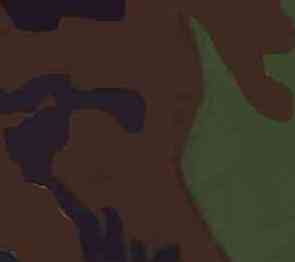 "https://www.web3d.org/x3d/content/examples/Savage/AmphibiousVehicles/AAAV/cammie3.jpg" 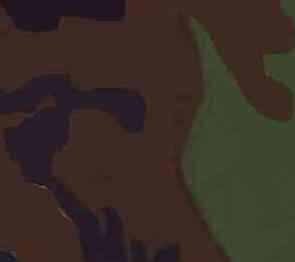 '/> |
| 25 | </Appearance> |
| 26 | <IndexedFaceSet convex='false' coordIndex='0 9 8 7 6 5 4 3 2 1 0 -1 10 11 12 13 14 15 16 17 18 10 -1 2 3 13 12 2 -1 1 2 12 11 1 -1 0 1 11 10 0 -1 9 0 10 18 9 -1 8 9 18 17 8 -1 7 8 17 16 7 -1 6 7 16 15 6 -1 3 4 5 6 20 19 3 -1 14 13 3 19 14 -1 15 14 19 6 15 -1'> |
| 27 | <Coordinate point='2.0 0.0 -2.7 -1.4 0.0 -2.7 -3.0 0.0 -1.9 -3.0 0.0 0.7 -3.0 0.0 1.7 -1.4 0.0 2.7 0.0 0.0 2.7 2.0 0.0 2.7 3.0 0.0 1.7 3.0 0.0 -1.7 1.9 1.4 -2.5 -1.2 1.4 -2.5 -2.2 1.4 -2.0 -2.2 1.4 0.7 0.0 1.4 0.7 0.0 1.4 2.5 1.9 1.4 2.5 2.8 1.4 1.5 2.8 1.4 -1.5 0.0 0.5 0.7 0.0 0.5 2.5 -2.2 0.0 0.7'/> |
| 28 | </IndexedFaceSet> |
| 29 | </Shape> |
| 30 | <Shape> |
| 31 | <Extrusion ccw='false' crossSection='0.4 1.0 -0.4 1.0 -1.0 0.4 -1.0 -0.4 -0.4 -1.0 0.4 -1.0 1.0 -0.4 1.0 0.4 0.4 1.0' spine='0.6 1.4 -0.9 0.6 1.7 -0.9'/> |
| 32 | <Appearance> |
| 33 | <Material ambientIntensity='0.26' diffuseColor='0.15 0.05 0.0' shininess='0.08' specularColor='0.75 0.33 0.0'/> |
| 34 | </Appearance> |
| 35 | </Shape> |
| 36 | <Transform translation='0.6 1.75 -0.9'> |
| 37 | <Shape> |
| 38 | <Cylinder height='0.1' radius='1.1'/> |
| 39 | <Appearance> |
| 40 | <ImageTexture USE='cammie3'/> |
| 41 | </Appearance> |
| 42 | </Shape> |
| 43 | </Transform> |
| 44 | <Transform translation='0.0 1.0 1.6'> |
| 45 | <Shape> |
| 46 | <Box size='0.2 0.6 1.4'/> |
| 47 | <Appearance> |
| 48 | <Material ambientIntensity='0.3' diffuseColor='0.15 0.15 0.25' shininess='0.1' specularColor='0.35 0.35 0.4'/> |
| 49 | </Appearance> |
| 50 | </Shape> |
| 51 | </Transform> |
| 52 | </Transform> |
| 53 | <Transform DEF='Gun' rotation='0 1 0 -1.57' scale='0.6 0.6 0.6' translation='-2.4 0.7 0'> |
| 54 |
<Inline
url=' "Bushmaster.wrl" "https://www.web3d.org/x3d/content/examples/Savage/AmphibiousVehicles/AAAV/Bushmaster.wrl" "Bushmaster.x3d" "https://www.web3d.org/x3d/content/examples/Savage/AmphibiousVehicles/AAAV/Bushmaster.x3d"'/>
|
| 55 | </Transform> |
| 56 |
<!-- ROUTE information for FIRST_CYLINDERSENSOR node:
[from rotation_changed to Turret.set_rotation
]
-->
<CylinderSensor DEF='FIRST_CYLINDERSENSOR' maxAngle='1.57' minAngle='-1.57'/> |
| 57 | </Transform> |
| 58 | < ROUTE fromNode='FIRST_CYLINDERSENSOR' fromField='rotation_changed' toNode='Turret' toField='set_rotation'/> |
| 59 | </Scene> |
| 60 | </X3D> |
Event Graph ROUTE Table shows event connections.
-->
<!--
DEF nodes index:
cammie3,
FIRST_CYLINDERSENSOR,
Gun,
Turret,
TurretBody
Index for Viewpoint nodes: Viewpoint_1, Viewpoint_2
Appearance,
Box,
Coordinate,
Cylinder,
CylinderSensor,
Extrusion,
head,
ImageTexture,
IndexedFaceSet,
Inline,
Material,
meta,
ROUTE,
Scene,
Shape,
Transform,
Viewpoint,
WorldInfo,
X3D,
🔖 Event Graph ROUTE Table with 1 ROUTE connection, showing X3D event-model relationships for this scene.
Each row with a ROUTE statement shows an event cascade that may occur during a single timestamp interval between frame renderings, performed as part of the X3D execution model.
|
FIRST_CYLINDERSENSOR
CylinderSensor rotation_changed SFRotation |
Turret
Transform set_rotation SFRotation |
<!--
Online at
 Version control at
<!--
Color-coding legend: X3D terminology
<X3dNode DEF='idName' field='value'/>
matches XML terminology
<XmlElement DEF='idName' attribute='value'/>
(Light-blue background: event-based behavior node or statement)
(Grey background inside box: inserted documentation)
(Magenta background: X3D Extensibility)
-->
<!--
For additional help information about X3D scenes, please see X3D Tooltips, X3D Resources, and X3D Scene Authoring Hints.
-->