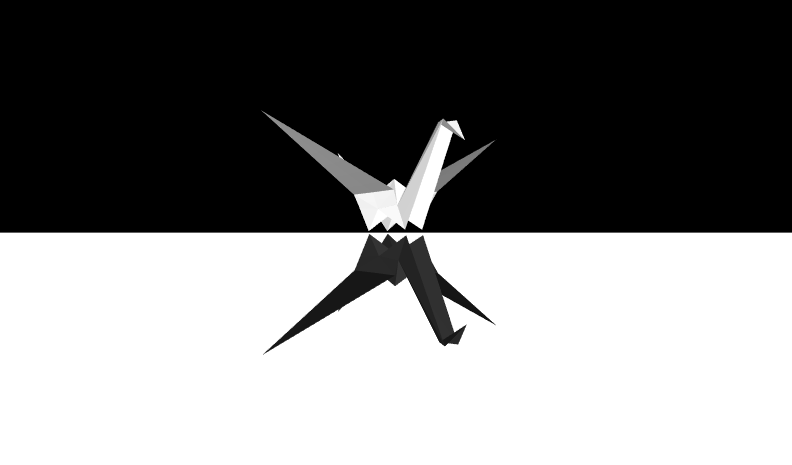
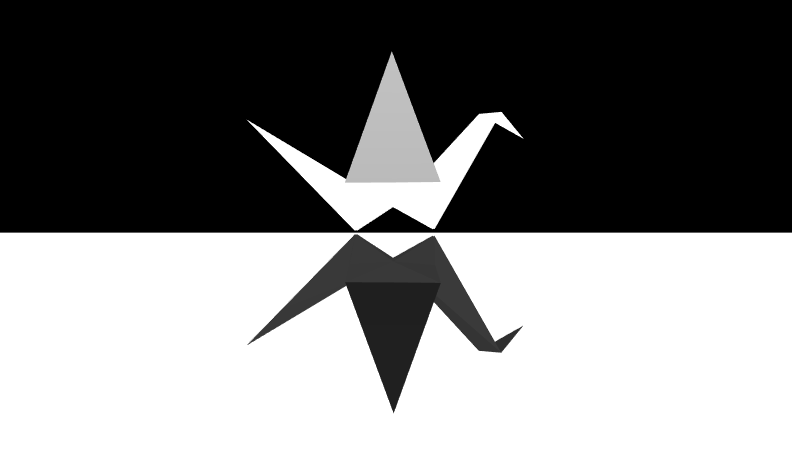
| 1 |
<?xml version="1.0" encoding="UTF-8"?>
|
| 2 |
<!DOCTYPE X3D PUBLIC "ISO//Web3D//DTD X3D 3.3//EN" "https://www.web3d.org/specifications/x3d-3.3.dtd">
|
| 3 | <X3D profile='Interactive' version='3.3' xmlns:xsd='http://www.w3.org/2001/XMLSchema-instance' xsd:noNamespaceSchemaLocation='https://www.web3d.org/specifications/x3d-3.3.xsd'> |
| 4 | <head> |
| 5 | <meta name='title' content=' OrigamiCranes.x3d '/> |
| 6 | <meta name='description' content='Origami Cranes with black/white contrast as art work for Black Swan game.'/> |
| 7 | <meta name='created' content='2 November 2014'/> |
| 8 | <meta name='modified' content='26 August 2025'/> |
| 9 | <meta name='creator' content='epicpopcorn'/> |
| 10 | <meta name='reference' content='http://www.turbosquid.com/FullPreview/Index.cfm/ID/598176'/> |
| 11 | <meta name='reference' content='crane.obj'/> |
| 12 | <meta name='reference' content='OrigamiCrane.ply'/> |
| 13 | <meta name='translator' content='Don Brutzman'/> |
| 14 | <meta name='reference' content='https://en.wikipedia.org/wiki/Swan'/> |
| 15 | <meta name='reference' content='https://en.wikipedia.org/wiki/Orizuru'/> |
| 16 | <meta name='reference' content='https://www.youtube.com/watch?v=CXwwPgMiEPc'/> |
| 17 | <meta name='reference' content='http://www.origami-make.com/howto-origami-swan.php'/> |
| 18 | <meta name='reference' content=' http://origami.about.com/od/Origami-Animals/tp/How-To-Make-An-Origami-Swan.htm '/> |
| 19 | <meta name='reference' content='https://en.wikipedia.org/wiki/The_Black_Swan_(2007_book)'/> |
| 20 | <meta name='reference' content='https://en.wikipedia.org/wiki/Nassim_Nicholas_Taleb'/> |
| 21 |
<meta name='Image' content='OrigamiBlackSwanWhiteSwan.jpg'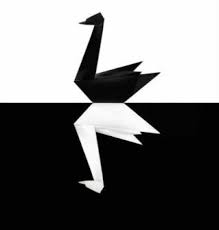 /> />
|
| 22 |
<meta name='Image' content='OrigamiBlackSwanWhiteSwanFacingRight.png'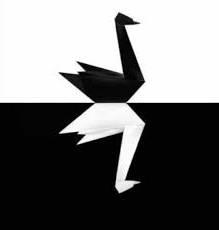 /> />
|
| 23 |
<meta name='Image' content='OrigamiCraneMeshlab.png'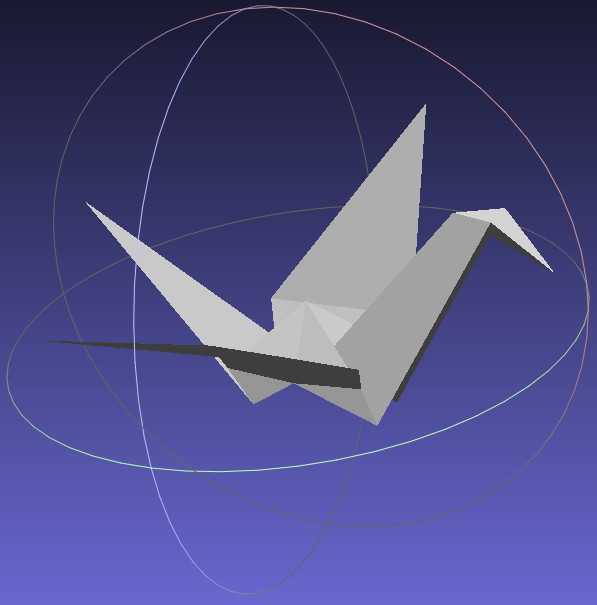 /> />
|
| 24 | <meta name='reference' content='Making sense of The Black Swan por Mark Crovelli, quarta-feira, 18 de abril de 2012'/> |
| 25 | <meta name='reference' content='http://www.mises.org.br/Article.aspx?id=1284'/> |
| 26 |
<meta name='Image' content='http://www.mises.org.br/images/articles/2012/Abril/black_swan.jpg' /> />
|
| 27 | <meta name='generator' content='Meshlab X3D Exported, http://meshlab.sourceforge.net'/> |
| 28 | <meta name='generator' content='X3D-Edit 3.3, https://www.web3d.org/x3d/tools/X3D-Edit'/> |
| 29 | <meta name='identifier' content=' https://www.web3d.org/x3d/content/examples/X3dForAdvancedModeling/Animation/OrigamiCranes.x3d '/> |
| 30 | <meta name='license' content='http://support.turbosquid.com/entries/31030006-Royalty-Free-License?locale=1'/> |
| 31 | <meta name='license' content='../license.html'/> |
| 32 | </head> |
Event Graph ROUTE Table shows event connections.
-->
<!--
 DEF nodes index:
AnimatedView,
CraneAbove,
CraneBelow,
CraneIFS,
CraneShapeBlack,
CraneShapeWhite,
MovingPovLocation,
MovingPovRotation,
PovClock,
TranslateToOrigin
DEF nodes index:
AnimatedView,
CraneAbove,
CraneBelow,
CraneIFS,
CraneShapeBlack,
CraneShapeWhite,
MovingPovLocation,
MovingPovRotation,
PovClock,
TranslateToOrigin
Index for Viewpoint nodes: Viewpoint_1, Viewpoint_2, Viewpoint_3, MovingPov
-->| 33 | <Scene> |
| 34 | <WorldInfo title='OrigamiCranes.x3d'/> |
| 35 | <Background groundAngle='1.5707' groundColor='1 1 1 1 1 1' skyAngle='0' skyColor='0 0 0 0 0 0'/> |
| 36 | <NavigationInfo type='"NONE"'/> |
| 37 | <PointLight intensity='0.3' location='0 2 6'/> |
| 38 | <PointLight intensity='0.3' location='0 -2 6'/> |
| 39 | <Group DEF='AnimatedView'> |
| 40 |
<!-- ROUTE information for MovingPov node:
[from MovingPovLocation.value_changed to position
]
[from MovingPovRotation.value_changed to set_orientation
]
-->
<Viewpoint DEF='MovingPov' description='Rotating Viewpoint'/> |
| 41 |
<!-- ROUTE information for PovClock node:
[from fraction_changed to MovingPovLocation.set_fraction
]
[from fraction_changed to MovingPovRotation.set_fraction
]
-->
<TimeSensor DEF='PovClock' cycleInterval='60' loop='true'/> |
| 42 |
<!-- ROUTE information for MovingPovLocation node:
[from PovClock.fraction_changed to set_fraction
]
[from value_changed to MovingPov.position
]
-->
<PositionInterpolator DEF='MovingPovLocation' key='0 0.125 0.25 0.375 0.5 0.625 0.75 0.875 1' keyValue='0 0 3 3 0 2 3 0 2 0 0 3 0 0 3 -3 0 2 -3 0 2 0 0 3 0 0 3'/> |
| 43 | < ROUTE fromNode='PovClock' fromField='fraction_changed' toNode='MovingPovLocation' toField='set_fraction'/> |
| 44 | < ROUTE fromNode='MovingPovLocation' fromField='value_changed' toNode='MovingPov' toField='position'/> |
| 45 |
<!-- ROUTE information for MovingPovRotation node:
[from PovClock.fraction_changed to set_fraction
]
[from value_changed to MovingPov.set_orientation
]
-->
<OrientationInterpolator DEF='MovingPovRotation' key='0 0.125 0.25 0.375 0.5 0.625 0.75 0.875 1' keyValue='0 1 0 0 0 1 0 0.982794 0 1 0 0.982794 0 1 0 0 0 1 0 0 0 1 0 -0.982794 0 1 0 -0.982794 0 1 0 0 0 1 0 0'/> |
| 46 | < ROUTE fromNode='PovClock' fromField='fraction_changed' toNode='MovingPovRotation' toField='set_fraction'/> |
| 47 | < ROUTE fromNode='MovingPovRotation' fromField='value_changed' toNode='MovingPov' toField='set_orientation'/> |
| 48 | </Group> |
| 49 | <Viewpoint description='Origami Cranes, from ahead' orientation='0 1 0 0.982794' position='3 0 2'/> |
| 50 | <Viewpoint description='Origami Cranes, mirror image' position='0 0 3'/> |
| 51 | <Viewpoint description='Origami Cranes, from behind' orientation='0 1 0 -0.982794' position='-3 0 2'/> |
| 52 | <Transform DEF='CraneAbove' rotation='0 1 0 1.745329'> |
| 53 | <!-- Rotation was necessary to point along X axis --> |
| 54 | <Transform DEF='TranslateToOrigin' translation='0.25 -0.18 -0.1'> |
| 55 | <Shape DEF='CraneShapeWhite'> |
| 56 |
<!-- IndexedFaceSet
CraneIFS is a DEF node that has 1 USE node: USE_1 -->
<IndexedFaceSet DEF='CraneIFS' solid='false' coordIndex='0 1 2 -1 0 2 3 -1 4 5 2 -1 4 2 1 -1 1 0 6 -1 7 2 8 -1 3 9 10 -1 11 12 13 -1 12 9 14 -1 11 9 12 -1 15 2 7 -1 14 9 2 -1 7 10 15 -1 12 15 16 -1 13 12 16 -1 14 15 12 -1 16 17 13 -1 13 17 11 -1 15 14 2 -1 9 3 2 -1 1 6 4 -1 18 8 2 -1 5 19 20 -1 21 22 23 -1 23 24 20 -1 21 23 20 -1 25 18 2 -1 24 2 20 -1 18 25 19 -1 23 26 25 -1 22 26 23 -1 24 23 25 -1 26 22 27 -1 22 21 27 -1 25 2 24 -1 20 2 5 -1'> |
| 57 | <!-- Original model values are quite large, converted from inches to meters using factor 0.0254 to rescale, wingtip is now 0.8m and length is 1.5m. --> |
| 58 | <Coordinate point='-0.39882 0.8134 0.63626 -0.33169 0.81323 0.53558 -0.2503 0.31524 0.08395 -0.35153 0.19681 0.28621 -0.30394 0.8134 0.65336 -0.22605 0.19681 0.30883 -0.37413 0.67816 0.77105 -0.28707 0.18877 -0.12428 -0.11107 0.78537 -0.68858 -0.40796 0.34843 0.27538 -0.37208 0.32894 0.06357 -0.45279 0.43502 0.29314 -0.37197 0.32891 0.06359 -0.40743 0.43285 0.05396 -0.25021 0.52642 0.08345 -0.33581 0.34187 -0.15904 -0.36691 0.43174 -0.18336 -1.12733 0.86101 -0.07052 -0.14315 0.18877 -0.09835 -0.12906 0.32894 0.10737 -0.16939 0.34843 0.31838 -0.13358 0.43502 0.35067 -0.09258 0.43285 0.11071 -0.12918 0.32891 0.10735 -0.25021 0.52642 0.08345 -0.08534 0.34187 -0.1139 -0.0477 0.43174 -0.12584 0.62547 0.86101 0.24538'/> |
| 59 | </IndexedFaceSet> |
| 60 | <Appearance> |
| 61 | <Material diffuseColor='0.9 0.9 0.9'/> |
| 62 | </Appearance> |
| 63 | </Shape> |
| 64 | </Transform> |
| 65 | </Transform> |
| 66 | <Transform DEF='CraneBelow' rotation='1 0 0 3.141593'> |
| 67 | <Transform rotation='0 1 0 1.745329'> |
| 68 | <Transform translation='0.25 -0.18 -0.1'> |
| 69 | <Shape DEF='CraneShapeBlack'> |
| 70 | <IndexedFaceSet USE='CraneIFS'/> |
| 71 | <Appearance> |
| 72 | <Material diffuseColor='0.15 0.15 0.15'/> |
| 73 | </Appearance> |
| 74 | </Shape> |
| 75 | </Transform> |
| 76 | </Transform> |
| 77 | </Transform> |
| 78 | </Scene> |
| 79 | </X3D> |
Event Graph ROUTE Table shows event connections.
-->
<!--
DEF nodes index:
AnimatedView,
CraneAbove,
CraneBelow,
CraneIFS,
CraneShapeBlack,
CraneShapeWhite,
MovingPovLocation,
MovingPovRotation,
PovClock,
TranslateToOrigin
Index for Viewpoint nodes: Viewpoint_1, Viewpoint_2, Viewpoint_3, MovingPov
-->Event Graph ROUTE Table entries with 4 ROUTE connections total, showing X3D event-model relationships for this scene.
Each row shows an event cascade that may occur during a single timestamp interval between frame renderings, as part of the X3D execution model.
|
PovClock
TimeSensor fraction_changed SFFloat |
MovingPovLocation
PositionInterpolator set_fraction SFFloat |
then
|
MovingPovLocation
PositionInterpolator value_changed SFVec3f |
MovingPov
Viewpoint position SFVec3f |
||
|
PovClock
TimeSensor fraction_changed SFFloat |
MovingPovRotation
OrientationInterpolator set_fraction SFFloat |
then
|
MovingPovRotation
OrientationInterpolator value_changed SFRotation |
MovingPov
Viewpoint set_orientation SFRotation |
<!--
Online at
 Version control at
<!--
Color-coding legend: X3D terminology
<X3dNode DEF='idName' field='value'/>
matches XML terminology
<XmlElement DEF='idName' attribute='value'/>
(Light-blue background: event-based behavior node or statement)
(Grey background inside box: inserted documentation)
(Magenta background: X3D Extensibility)
-->
<!--
For additional help information about X3D scenes, please see X3D Tooltips, X3D Resources, and X3D Scene Authoring Hints.
-->