


|
|
|
|
|
|
|
|
|
| 15 X3D Models | X3D Model Descriptions | |
|---|---|---|
|
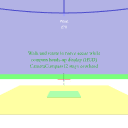
CameraCompass12Example | A circular set of 12 compass bearings that follows the active viewpoint. Coordinate axis viewpoint shows that North = +X axis, East = +Z axis, up = +Y axis. |
|
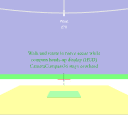
CameraCompass36Example | A circular set of 36 compass bearings that follows the active viewpoint. Coordinate axis viewpoint shows that North = +X axis, East = +Z axis, up = +Y axis. |
|
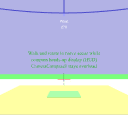
CameraCompass8Example | A circular set of 8 compass bearings that follows the active viewpoint. Coordinate axis viewpoint shows that North = +X axis, East = +Z axis, up = +Y axis. |
|
CameraCompassPrototypes | Prototypes for a circular set of compass bearings that follow the active viewpoint. North = +X axis, East = +Z axis, up = +Y axis. |

|
CompassRoseExample | Example use of CompassRose prototype, a heads-up display (HUD) showing heading for current viewpoint direction. |

|
CompassRosePrototype | Definition of the CompassRose prototype, a heads-up display (HUD) showing heading for current viewpoint direction. |

|
CrossHairExample | Example use of a heads-up display (HUD) crosshair showing center of screen, useful for assessing lookAt point. |

|
CrossHairPrototype | Prototype for a heads-up display (HUD) crosshair showing center of screen, useful for assessing lookAt point. |
|
DvdControllerExample | Digital Virtual Display (DVD) Controller interface example to control a scenario's animation timing, defined using an ExternProtoDeclare for easy reuse. |
|
DvdControllerPrototype | Digital Virtual Display (DVD) Controller Prototype definition to control animation timing. Heads-up display keeps DVD Controller on screen. |

|
HeadsUpDisplayExample | Generic Heads Up Display (HUD) prototype to keep children on screen. |
|
HeadsUpDisplayPrototype | Generic Heads Up Display (HUD) prototype to keep children on screen. |
|
HudControlPanelExample | Example world using an adjustable Heads-Up Display (HUD) or control panel. The panel always appears in the same position in the brower's window, independent of view point. The HUD can be dragged around the window by grabbing onto the border and sliding. |
|
HudControlPanelPrototype | Prototype for a "heads-up" control panel. This node defines an object that maintains its orientation to the current viewpoint. Also present is a border that allows the panel to be dragged anywhere on the screen. All of the touchSensor events relating to texture maps are available as output events from this node. |

|
ViewPositionOrientationHUD | ViewPositionOrientation Heads-Up Display (HUD) to show position and orientation on screen. Drag to move, click text to toggle console trace. Used as an Inline node, assumes local coordinate system where invoked. |
|
|
The X3D Resources: Examples page and X3D Developers Guide provide more information about the production of this archive.
|
|
|
|
|
|
|
|
|
