


|
|
|
|
|
|
|
|
| 8 X3D Models | X3D Model Descriptions | |
|---|---|---|
|
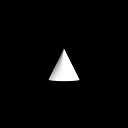
default cone | A simple cone whose central axis is aligned with the local Y-axis, centered at the origin in the local coordinate system, and measures from -1 to +1 in all three dimensions. |
|
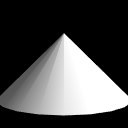
extents | A simple cone that specifies values other than the default for bottomRadius and height. |

|
extra large | An extra large cone that tests the upper boundary condition. We have specified a viewpoint to keep the test results from being undefined. |
|
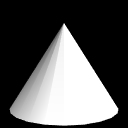
floats | A simple cone that specifies floating point values for the bottomRadius and height fields. |
|
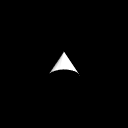
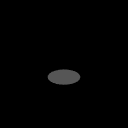
no bottom | A simple cone with bottom field set to false, which indicates that the bottom of the cone should not be visible. |
|
no side | A simple cone with the side field set to false, which indicates that the sides of the cone should not be visible. |
|
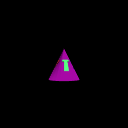
small view | A very small cone that tests the lower boundary condition. This time, we have set an initial viewpoint of (0 0 1) to help ensure that the cone is initially visible. |
|
texture | A default cone with a simple imagetexture applied. |
|
Online at https://www.web3d.org/x3d/content/examples/ConformanceNist/Geometry/Cone
Master source-code model archive is under subversion control at |
The X3D Resources: Examples page and Savage Developers Guide provide more information about the production of this archive.
|
|
|
|
|
|
|